How do you use Google Search Console to find quick win keywords?
Your fastest SEO gains are usually queries where Google already ranks you on page one's edge or page two. Here is a step by step Search Console method to find them, choose the ones worth the effort and update the page that should rank.
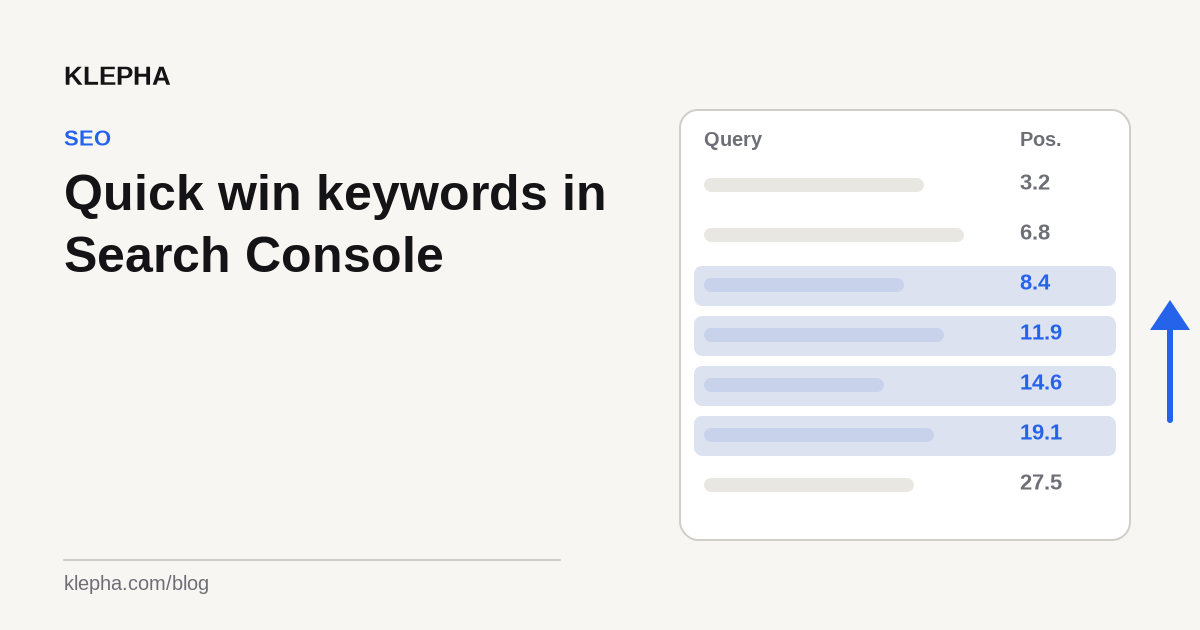
To find quick win keywords in Google Search Console, open the Performance report for the last three months, export queries and pages, and keep the queries with an average position between 8 and 20 and meaningful impressions. These are searches where Google already considers your page relevant, but it sits at the bottom of page one or on page two, where it gets few clicks; improving that existing page is usually faster and cheaper than publishing a new one.
The work after the filter is what makes it a win: map each query to the page that ranks for it, check why that page is not in the top results, and make specific updates, such as answering the query directly, covering missing subtopics, improving the title and adding internal links. Then compare equal periods before and after.
Key takeaways
- The filter: last 3 months, average position 8 to 20, enough impressions to matter (for example 100 or more).
- Query plus page: always identify which URL ranks for each query before editing anything.
- Average position is an average: it is the topmost position per query averaged across impressions, so treat it as a trend, not a fixed rank.
- Update, do not duplicate: improve the ranking page rather than writing a new one for the same query.
- Measure fairly: compare the same length of time before and after, by page and query.
What is a quick win keyword?
A quick win keyword (also called a striking distance keyword) is a search query that already brings your page impressions in Google but ranks just outside the positions that get most of the clicks. The usual working range is an average position of about 8 to 20: the bottom of page one and page two.
They are "quick" for a simple reason: the hard part is already done. Google has crawled, indexed and judged the page relevant enough to show it. You are not trying to break into a topic; you are trying to make an existing answer the best one on the page. That is why we put this source first in our guide to finding keyword opportunities and in our triage of which pages need SEO improvement.
"Quick" does not mean guaranteed. Some queries sit at position 12 because stronger sites hold the top results, or because Google shows a different kind of result for that intent. The method below includes a step to spot those early so you do not waste time on them.
What does average position in Search Console really mean?
Before filtering on position, it helps to know what the number is. According to Google's Search Console documentation:
- Position is the topmost position your property or page occupied for a query, and the report averages that across all the queries or impressions in the row. If one query showed you at positions 2, 4 and 6 and another at 3, 5 and 9, the average position is 2.5.
- A position is only recorded when there is an impression. If your result was on page three and the searcher only looked at page one, no position is logged for that search.
- Each search result element occupies one position. An AI Overview occupies a single position and every link in it shares that position. Ads do not occupy a position.
- The same number can mean different things. Google gives the example that position 11 could be the first result on page two or a spot in a knowledge panel, and recommends monitoring change over time rather than reading an absolute rank.
The practical consequence: an average position of 12 for a query means "usually around the bottom of page one or the top of page two", not "always 12th". That is good enough to find opportunities, as long as you confirm with the page and query combined.
How do you find queries in positions 8 to 20 in Search Console?
This takes about twenty minutes the first time.
- Open the Performance report (Search results) for your property. Google's default view already shows the past three months, which is the range we recommend: long enough to smooth out weekly noise, short enough to reflect the current state of the page.
- Turn on all four metrics: clicks, impressions, CTR and average position.
- Set Search type to Web so image and video results do not mix in.
- Start on the Queries tab and export. Use the export button to send the table to Google Sheets or a spreadsheet. Filtering in a sheet is easier than in the interface when you need a range of positions plus an impressions threshold.
- Filter the export to average position greater than or equal to 8 and less than or equal to 20, and impressions above a threshold that fits your site. For a small site, 50 to 100 impressions in three months is a reasonable floor; for a large site, use a higher number.
- Map each query to its page. In the interface, click a query row to filter the report to that query, then switch to the Pages tab to see which URL ranks. If two or more of your pages share the impressions, note it: that is a cannibalisation signal, not a quick win.
- Optionally, narrow by intent with regex. Search Console supports regular expressions in query and page filters (RE2 syntax, not case sensitive by default). A filter like
^(how|what|why|when|which|can|does|is)isolates question queries, which are often the easiest to win with a clear, direct answer.
You can also work page first: on the Pages tab, filter to a single URL, then look at its queries in positions 8 to 20. This is the better route when you are refreshing a specific page, and it pairs well with our guide to refreshing old blog posts.
Which quick wins should you work on first?
A typical export produces dozens or hundreds of candidates. Score them so you work on the ones with the best return. This simple model works for most sites:
| Factor | Question to ask | Higher priority when |
|---|---|---|
| Impressions | How much demand is there? | Impressions are high relative to your other queries |
| Position | How far from the top is it? | Closer to 8 than 20 |
| Business value | Would this visitor ever buy, sign up or enquire? | The query matches a product, service or buying question |
| Page fit | Is the ranking page the right page for this query? | The page clearly intends to answer it |
| Competition | Who holds positions 1 to 5? | Results include pages no stronger than yours |
| Cluster | Do several queries point to the same page? | One update can lift a group of queries |
An illustrative example: suppose a page ranks at an average of 11.4 for "url structure best practices" with 2,400 impressions in three months, and at 14.0 for "seo friendly urls" with 900 impressions. Both point to the same guide and both match the page's purpose. That page goes to the top of the list, because one update targets two related queries with real demand. A query at 19.6 with 60 impressions and weak business value goes to the bottom.
Find quick wins in Google and AI answers together
Klepha's free report sits beside your Search Console data and shows which buyer questions you almost rank for, and which ones AI assistants answer with a competitor.
Get my free reportWhy is the page stuck below the top results?
Search the query yourself (in a private window, and remember results vary by location and history) and compare your page with what ranks above it. Most stuck pages fall into one of these patterns.
| Pattern | What you see | Likely fix |
|---|---|---|
| Answer buried | Top results answer the query in the first lines; yours answers it halfway down | Move a direct answer to the first two sentences of the page or section |
| Missing subtopics | Top results cover points your page skips | Add sections for the missing subtopics, with question led headings |
| Intent mismatch | Top results are a different format, such as tools, product pages or videos | Change format only if it fits your page; otherwise deprioritise |
| Weak title and snippet | Your title does not contain the query's main words or promise | Rewrite the title tag and meta description around the query |
| Thin internal linking | Few internal links point to the page, or with vague anchor text | Add contextual links from related, stronger pages |
| Outdated content | Top results are newer or cite current data | Refresh facts, examples and dates |
| Cannibalisation | Two of your pages alternate for the query | Consolidate into one page and redirect the other |
What should you update to push the page higher?
Work through these changes in order. Not every page needs all of them; stop when the page clearly becomes the best answer.
- Answer the query directly near the top. One or two plain sentences that a reader, a search engine or an AI assistant could quote on their own.
- Add the missing subtopics as self contained sections with headings phrased as questions. This is the change that most often moves a page from page two to page one.
- Rewrite the title tag and meta description so they include the query's core words and a specific promise. Our guide to writing meta titles and descriptions has templates. A better title can also lift click-through at the current position, which is a win before rankings move.
- Refresh facts and examples and update the modified date only when the content has genuinely changed.
- Add two to five internal links to the page from related pages that already get traffic, using descriptive anchor text close to the query. See internal linking for SEO for how to choose them.
- Add structured data where it fits, such as FAQPage for a visible FAQ, and make sure it matches the visible text.
- Request indexing for the updated URL with the URL Inspection tool so Google recrawls it sooner.
Avoid two common mistakes. Do not publish a new page targeting the same query; you will split signals between two pages and may lose both. And do not stuff the query into the page repeatedly; the gains come from completeness and clarity, not repetition.
How do you measure the result?
Give each update time. Google needs to recrawl the page and re-evaluate it, so wait at least two to four weeks before judging, longer for low traffic pages.
- Compare equal periods. In the Performance report, use the date comparison feature, for example 28 days after the update against the 28 days before. Google suggests weekly or monthly granularity to remove the day of the week effect.
- Filter by page and query. Check the target query and the whole page, since an update often lifts related queries you did not target.
- Watch clicks, not only position. A move from 12 to 7 matters because clicks follow; a move from 18 to 14 may not change traffic at all.
- Keep a change log with the date and what you changed, so you can connect results to actions. Our guide on tracking keyword rankings covers how to combine Search Console with rank tracking.
Repeat the export monthly. As pages move up, new queries enter the 8 to 20 band, and the process becomes a steady rhythm rather than a one off project. This is the core loop behind our Blog Ranking service and one of the six disciplines on our expertise page; our case studies show it applied to sites we run ourselves.
Sources
- Google Search Console Help: What are impressions, position, and clicks? Accessed November 21, 2026. Definition and calculation of average position, AI Overview and ad position rules, and the advice to monitor change over time.
- Google Search Console Help: Performance report (Search results): Overview and basic setup. Accessed November 21, 2026. Default three month view, metrics, dimensions, search type and export.
- Google Search Console Help: Performance report (Search results): Advanced filtering and comparison. Accessed November 21, 2026. Query and page filters, RE2 regex filters, date comparisons and granularity advice.
Frequently asked questions
What are quick win keywords in Google Search Console?
They are queries where your site already gets impressions but ranks at an average position of roughly 8 to 20, the bottom of page one and page two. Google already considers the page relevant, so improving that existing page is usually the fastest way to gain clicks.
How do I filter Search Console for positions 8 to 20?
Open the Performance report for the last three months, turn on average position, export the Queries table to a spreadsheet, and filter to average position between 8 and 20 with impressions above a threshold that fits your site. Then click each query in the report and check the Pages tab to see which URL ranks.
Is average position in Search Console my exact ranking?
No. Google calculates it as the topmost position your page occupied for a query, averaged across impressions, and only records a position when there is an impression. Treat it as an approximate location and a trend, not a fixed rank.
Should I create a new page for a quick win keyword?
Usually not. If an existing page already ranks between 8 and 20, update that page so it answers the query better. Creating a second page for the same query tends to split signals between two URLs and can hold both back.
What changes push a page from page two to page one?
The most reliable changes are a direct answer near the top, added sections for subtopics the top results cover, a title tag and meta description that match the query, refreshed facts, and new internal links from related pages with descriptive anchor text.
How long does it take to see results from Search Console quick wins?
Allow at least two to four weeks after Google recrawls the page, and longer for low traffic pages. Compare equal periods before and after in the Performance report, filtered by page and query, and judge on clicks as well as position.